
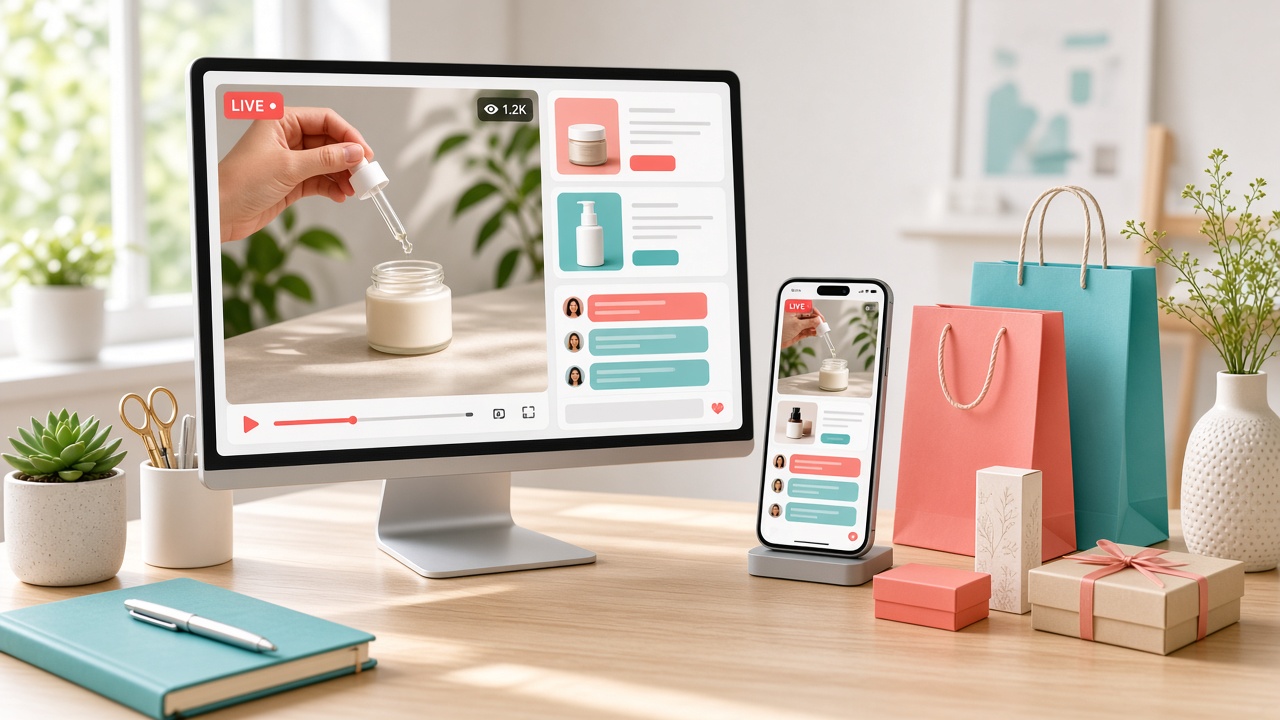
How to develop a live commerce app that keeps viewers watching and turns product interest into sales?
A basic shopping app may show your products, but it cannot always give customers the real-time experience they want. Live commerce brings video streaming, product demos, live chat, and secure checkout into one place.
Think of a fashion brand showing a new collection while viewers ask questions and buy items without leaving the stream.
In this guide, we'll cover the key features, app architecture, technology stack, development steps, costs, and challenges.
What Is a Live Commerce App? And How Does a Live Commerce App Work?
A live commerce app is a shopping platform that combines live video streaming with online shopping.
It lets sellers showcase products, answer customer questions, share product links, and accept orders through real-time chat and secure checkout.
How Does a Live Commerce App Work?
A live commerce app connects video streaming, product catalogs, customer interaction, and order processing in one shopping experience.
- Schedule a live session: Sellers add products, set a broadcast time, and notify interested shoppers.
- Start live streaming: Hosts demonstrate products while viewers watch through a real-time video player.
- Engage with viewers: Customers ask questions through live chat and get instant product details.
- Shop during the stream: Viewers tap pinned products, check prices, and add items to their cart.
- Complete the purchase: Buyers pay through secure checkout while the system updates inventory and order records.
Live Commerce App Development Market Overview
Explore the growing live commerce app development market, emerging trends, key players, innovations, and future business opportunities.
- According to Grand View Research, the global live commerce platforms market stood at $918.9 million in 2023 and could reach $3.48 billion by 2030, at a 21.2% CAGR.
- Mordor Intelligence estimates the market will grow from $1.41 billion in 2025 to $3.79 billion by 2030, representing an annual growth rate of 21.84%.
- Research and Markets forecasts the global market to expand to $4.1 billion by 2032, up from $1.1 billion in 2025, with a projected 20.8% CAGR.
What Types of Live Commerce Apps Can You Develop?
Choose an app model that fits your products, sellers, and audience. Each type supports a different live shopping experience.
| Live commerce app type | Description |
|---|---|
| Single-Vendor Live Shopping App | Lets one retailer stream product demos, chat with buyers, and sell directly. |
| Multi-Vendor Live Commerce Marketplace | Allows multiple sellers to host streams, list products, and manage orders. |
| Social and Creator-Led Shopping App | Connects influencers with viewers through live product reviews, demos, and shoppable videos. |
| Live Auction and Bidding App | Supports real-time auctions, live bids, countdowns, and instant payment processing. |
| D2C Brand-Owned Live Shopping App | Helps brands showcase products, engage customers, and manage direct online sales. |
Essential Features to Include in a Live Commerce App
A good live commerce app makes shopping easy, keeps video smooth, and helps sellers manage sales in real time.
1. Buyer-Side Features
These features help customers watch live sessions, explore products, and place orders without hassle.
- User Registration and Login: Lets buyers create accounts and manage profiles.
- Live Video Streaming: Shows product demos through smooth, real-time video.
- Live Chat: Allows viewers to ask questions and get quick answers.
- Product Catalog: Displays product images, prices, and details.
- Pinned Products: Lets hosts highlight items during a live session.
- Shopping Cart: Helps buyers save products before checkout.
- Secure Payment Gateway: Supports safe online payments.
- Order Tracking: Shows shipping updates and purchase status.
- Push Notifications: Alerts users about upcoming streams and special offers.
- Ratings and Reviews: Lets buyers share feedback after a purchase.
2. Seller and Host Features
These tools help sellers run live sessions, showcase products, and manage orders.
- Seller Registration: Allows sellers to create and verify their accounts.
- Live Stream Scheduling: Helps hosts plan and promote upcoming sessions.
- Live Stream Controls: Lets hosts start, pause, and end broadcasts.
- Product Management: Allows sellers to add images, prices, and product details.
- Product Pinning: Helps hosts display items during live demonstrations.
- Viewer Interaction: Supports live chat, questions, and audience engagement.
- Inventory Management: Tracks stock levels and product availability.
- Order Management: Helps sellers view and process customer orders.
- Sales Analytics: Tracks views, clicks, and live shopping revenue.
3. Admin Panel Features
These features give platform owners control over users, content, payments, and daily operations.
- User Management: Manages buyer, seller, and host accounts.
- Seller Verification: Checks seller details before granting access.
- Live Stream Moderation: Reviews broadcasts and handles reported content.
- Product Management: Monitors listings and removes restricted items.
- Order Management: Tracks purchases, cancellations, and refunds.
- Payment Management: Monitors transactions, commissions, and seller payouts.
- Push Notification Management: Sends updates, offers, and platform announcements.
- Reports and Analytics: Tracks sales, user activity, and platform growth.
- Role-Based Access Control: Gives staff access based on their responsibilities.
Advanced Features That Improve the Live Shopping Experience
Advanced features make live shopping more personal, interactive, and useful. They help turn viewers into buyers and encourage repeat purchases.
AI-Powered Product Recommendations
AI studies browsing history, past purchases, and viewer activity to suggest relevant products during live streams, helping shoppers find items faster.
Personalized Livestream Discovery
Personalized feeds recommend live sessions based on customer interests, shopping habits, favorite brands, and product categories.
Interactive Product Demonstrations
Hosts can pin products, show different views, answer questions, and share product details so viewers can make informed buying decisions.
Loyalty Programs and Live Shopping Rewards
Offer loyalty points, member discounts, referral bonuses, and live-session rewards to encourage repeat purchases and keep customers engaged. A D2C ecommerce development company can help connect these rewards with customer accounts and order data.
Automated Content Moderation
AI moderation tools can detect spam, harmful comments, fake links, and inappropriate content to keep live chats safer for viewers and hosts.
Livestream Recording and Replay
Save live sessions so customers can watch product demos later, revisit pinned items, and discover products after the broadcast ends.
How to Develop a Live Commerce App: Step-by-Step Process
Building a live commerce app takes more than adding video to an online store. You need smooth streaming, real-time chat, product listings, secure payments, and reliable order management. Follow these steps to turn your idea into a working shopping platform.
Step 1: Define Your Business Model and Target Audience
Start with a clear idea of what your app will sell and who will use it. Your business model will shape the features, design, and development budget.
Ask yourself:
- Who will use the app? Buyers, retailers, creators, or multiple sellers?
- What will you sell? Fashion, beauty products, electronics, or other items?
- How will you earn? Sales commissions, subscriptions, seller fees, or direct product sales?
- What type of app do you need? A single-vendor store, multi-vendor marketplace, or D2C shopping platform?
For example, a beauty brand may need live product demos, customer questions, and direct checkout. An auction platform will need real-time bidding and countdown timers.
Step 2: Conduct Market and Competitor Research
Study existing live shopping platforms to understand what works and where customers face problems. Look at apps such as Amazon Live, TikTok Shop, and Whatnot.
Focus your research on:
- Core features: Check live streaming, product tagging, chat, and checkout.
- User experience: See how easily viewers find products and place orders.
- Pricing model: Study commissions, seller fees, and subscription plans.
- Customer feedback: Read reviews to find common complaints.
- Market gaps: Look for features or services competitors do not offer well.
Pay close attention to small problems. A slow video, confusing checkout, or poor product search can push buyers away.
Step 3: Plan Features and Define the MVP Scope
You do not need every advanced feature in your first release. Start with a minimum viable product (MVP) that supports the main shopping journey.
Your first version should include:
- User registration and login
- Live video streaming
- Product catalog and product pinning
- Real-time chat
- Shopping cart and secure checkout
- Payment processing
- Basic seller and admin dashboards
- Order and inventory management
Save features like AI recommendations, loyalty programs, and advanced analytics for later updates.
A useful tip: Build around one complete buyer journey first. A customer should be able to join a stream, view a product, add it to the cart, and complete a purchase without confusion.
Step 4: Create Wireframes and UI/UX Designs
Now plan how the app will look and feel. Wireframes show where each feature will appear before developers start coding.
Pay attention to these screens:
- Home screen: Displays live sessions, product categories, and recommended streams.
- Live shopping screen: Shows video, pinned products, viewer count, and chat.
- Product detail screen: Displays images, prices, descriptions, and stock details.
- Checkout screen: Makes cart review, payment, and order confirmation simple.
- Seller dashboard: Gives sellers access to streams, products, and sales data.
Keep the shopping experience simple. For example, buyers should be able to open product details without losing the live stream. Picture-in-picture video can help make this possible.
If you plan to support browser-based shopping alongside mobile apps, suitable ecommerce web app development services can help connect the storefront, product catalog, customer accounts, and checkout experience.
Step 5: Choose the Technology Stack and Architecture
Your technology stack affects app speed, video quality, security, and future growth. Choose tools based on your expected audience, budget, and real-time interaction needs.
Here is an example technology stack for a live commerce app:
| Development area | Technology options | Purpose |
|---|---|---|
| Mobile app | Flutter, React Native | Builds Android and iOS apps |
| Web frontend | React, Next.js | Creates the browser-based shopping experience |
| Backend | Node.js, NestJS, Python | Handles users, products, orders, and APIs |
| Database | PostgreSQL, MongoDB | Stores customer, product, and order data |
| Caching | Redis | Speeds up frequent data requests |
| Live video | WebRTC, HLS, LL-HLS | Supports real-time communication and video delivery |
| Video platform | Amazon IVS, Mux | Handles live video streaming infrastructure |
| Cloud hosting | AWS, Google Cloud | Hosts app services and supports scaling |
| Payments | Stripe Connect | Supports payments and seller payouts |
| Notifications | Firebase Cloud Messaging | Sends live session and order alerts |
Choose streaming technology carefully:
- WebRTC: Works well for very low-latency, two-way video interaction.
- HLS: Delivers video to large audiences through HTTP-based streaming.
- LL-HLS: Reduces delay while keeping the benefits of HLS delivery.
- RTMP: Commonly sends a host's video feed to a streaming service for processing.
These technologies serve different roles. Your app may use RTMP for video input and HLS for viewer playback, for example.
For architecture, keep the main parts connected but organized:
- Frontend for buyers, sellers, and admins
- Backend APIs for business rules and account management
- Video services for stream processing and delivery
- Real-time services for chat and viewer activity
- Commerce services for products, inventory, payments, and orders
An MVP can start with a modular backend. You can split services as traffic and system needs grow.
Step 6: Develop the Frontend and Backend
With the design and stack ready, developers can start building the app. The frontend handles what users see and interact with. The backend manages data and business operations.
Frontend development includes:
- Buyer screens and account profiles
- Live video player and chat interface
- Product listings and shopping cart
- Seller dashboard
- Admin dashboard
Backend development includes:
- User login and access control
- Product catalog and inventory updates
- Cart and order management
- Payment and seller payout logic
- Notifications and analytics APIs
The frontend and backend must work together. For example, when a buyer orders a product during a live session, the backend should process the payment, update stock, and create an order record.
An experienced team in ecommerce app development can help connect these shopping features with the live video experience.
Step 7: Integrate Live Streaming and Commerce Services
This step brings the main parts of your live shopping platform together. You need streaming tools and commerce services to work smoothly during each session.
Key integrations include:
- Live video streaming: Connect a service such as Amazon IVS or Mux to handle video delivery.
- Real-time chat: Add messaging so viewers can ask questions during broadcasts.
- Product catalog: Connect product listings, images, prices, and stock details.
- Payment gateway: Support secure payments and transaction records.
- Seller payouts: Set up payment distribution for marketplace sellers.
- Push notifications: Alert customers about upcoming streams and order updates.
- Shipping services: Connect order fulfillment and delivery tracking.
Test the full shopping flow. When a host pins a product, buyers should see the correct item, price, and stock status. After checkout, the order system should record the purchase and update inventory.
Step 8: Test the App for Performance, Security, and Usability
A live commerce app may face hundreds or thousands of viewers at once. Testing helps find problems before real customers do.
Run these checks:
- Functional testing: Check login, product search, chat, cart, and checkout.
- Streaming testing: Look for video delays, buffering, and connection drops.
- Load testing: Test how the app handles many viewers and active users.
- Security testing: Check authentication, API access, payment flows, and data protection.
- Usability testing: Ask real users to join a stream and complete a purchase.
- Integration testing: Confirm that inventory, payments, and order records stay in sync.
Also test poor network conditions and sudden traffic spikes. A stream that works well with ten viewers may struggle with ten thousand.
Step 9: Deploy, Launch, and Monitor the Platform
Once testing is complete, prepare your app for release. Deploy the backend, connect production services, and publish the mobile app through the relevant app stores.
After launch, track important performance measures:
- Average watch time: How long viewers stay in a live session.
- Viewer-to-product click rate: How many viewers open a product.
- Purchase conversion rate: How many viewers complete an order.
- Cart abandonment rate: How many buyers leave before payment.
- Stream quality: Tracks buffering, video delay, and failed connections.
- Repeat purchase rate: Shows how often customers return to buy.
Use these results to improve video quality, product discovery, checkout, and customer support. Keep releasing updates based on real user feedback. A live commerce app is not finished at launch; it needs regular care as your audience grows.
How Much Does It Cost to Develop a Live Commerce App?
The ecommerce app development cost for a live commerce platform depends on its features, streaming setup, integrations, and business needs.
| Development package | Starting cost | Estimated timeline |
|---|---|---|
| Starter Ecommerce Development | $5,000 | 4–8 weeks |
| Business E-commerce Development | $10,000 | 8–12 weeks |
| Enterprise Ecommerce Development | $20,000 | 12–20+ weeks |
Common Challenges in Live Commerce App Development and How to Solve Them
Live commerce apps face issues with video quality, high traffic, payments, and inventory. The right solutions keep shopping smooth and reliable.
1. Video Lag and Streaming Delays
Challenge: Slow video, buffering, and high latency can interrupt product demos and frustrate viewers.
Solution: Use adaptive bitrate streaming, a reliable CDN, and low-latency delivery to improve playback quality.
2. High Traffic and Server Overload
Challenge: A sudden rise in viewers can overload servers and affect live streams, chat, and checkout.
Solution: Use cloud hosting, load balancing, auto-scaling, and performance monitoring to handle traffic spikes.
3. Real-Time Inventory and Order Sync
Challenge: Delayed stock updates can lead to overselling, wrong product availability, and order errors.
Solution: Connect inventory APIs with order management and use real-time stock updates during live sales.
4. Payment Failures and Security Risks
Challenge: Failed transactions, payment fraud, and weak data protection can reduce customer trust.
Solution: Use trusted payment gateways, encrypted connections, secure authentication, and regular security testing.
5. Fake Sellers, Bids, and Harmful Content
Challenge: Fake accounts, spam comments, fake bids, and unsafe content can harm the shopping experience.
Solution: Add seller verification, bid validation, AI content moderation, and tools to report suspicious activity.
6. Poor User Experience and Checkout Friction
Challenge: Confusing navigation, hidden product details, or slow checkout can cause viewers to leave without buying.
Solution: Keep product links visible, simplify checkout, support quick payments, and offer clear order updates.
Conclusion
Building a live shopping platform takes more than adding video to an online store.
If you want to learn how to develop a live commerce app, start with a clear business model, useful features, and a reliable tech stack.
Focus on smooth video streaming, real-time chat, product catalogs, secure payments, and easy checkout. Start with an MVP, test it with real users, and improve it as your audience grows.
A well-built app can turn product demos into sales and give customers a better reason to shop again.
Frequently Asked Questions About Live Commerce App Development
1. How much does it cost to develop a live commerce app?
A basic live commerce app may start at $5,000. Advanced features, video streaming, integrations, and custom design can increase the total cost.
2. How long does it take to build a live commerce app?
A basic app may take 4–8 weeks. A larger platform with custom streaming, seller tools, and advanced features can take several months.
3. What are the must-have features of a live commerce app?
Key features include live video streaming, real-time chat, product catalogs, pinned products, shopping carts, secure payments, and order tracking.
4. Which technology is best for live commerce app development?
Flutter or React Native can build mobile apps. Node.js or Python can power the backend, while WebRTC and HLS support video delivery.
5. How do live commerce apps make money?
They can earn through product sales, seller commissions, subscription plans, listing fees, sponsored streams, and paid promotions.
6. What is the difference between live commerce and social commerce?
Live commerce focuses on shopping through live video. Social commerce includes a wider range of shopping activities on social platforms, such as posts and product links.
7. Can I add live streaming to an existing ecommerce app?
Yes. You can integrate video streaming, live chat, product pinning, and checkout into an existing app through APIs and streaming services.
8. How can I make my live commerce app handle more viewers?
Use cloud hosting, a content delivery network (CDN), adaptive bitrate streaming, load balancing, and auto-scaling to support traffic growth.