Key Takeaways
- AI shopping assistant development can cost $8,000 to $100,000+, depending on complexity.
- Conversational search and personalized recommendations are core capabilities.
- Accurate product data is essential for reliable AI responses.
- Privacy and secure integrations should be built into the platform from the start.
- Continuous monitoring helps improve accuracy, performance, and customer satisfaction.
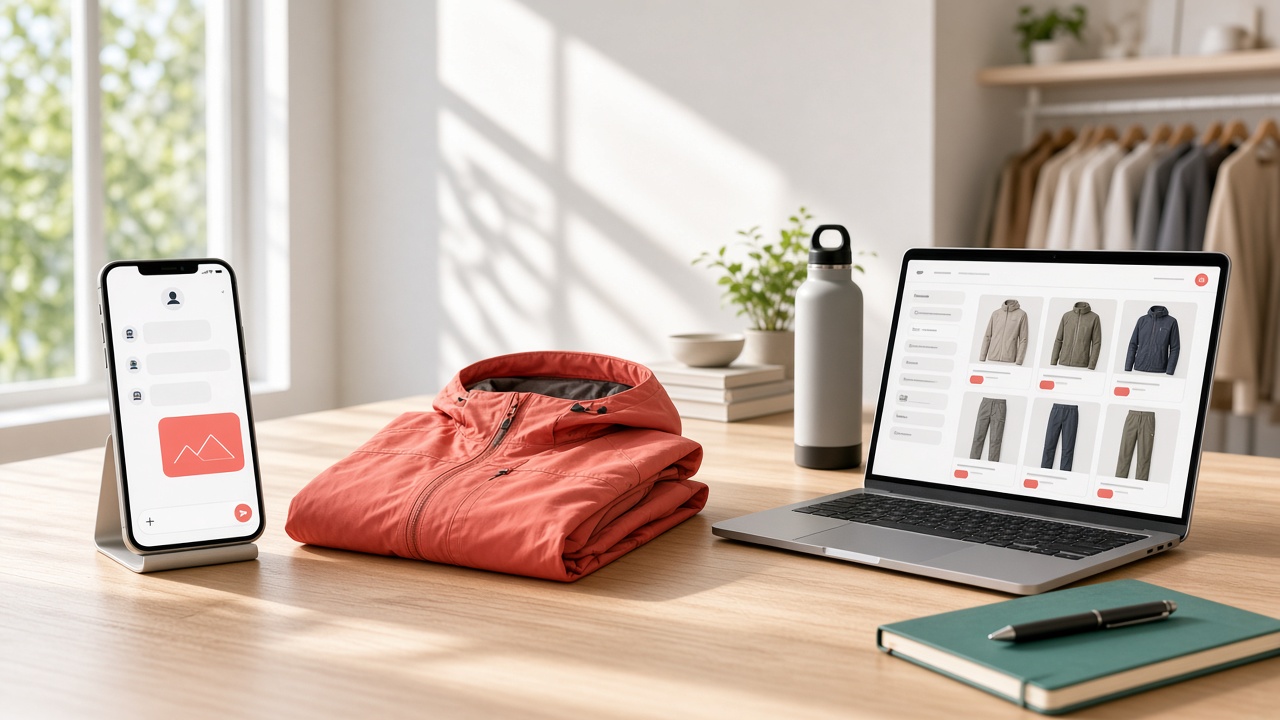
Shoppers used to browse by filters and keywords. Now they type, "I need a waterproof jacket for hiking in April, under $150," and expect an answer that understands them.
That shift is pushing ecommerce teams to rethink how their apps help people find things.
An AI-powered shopping assistant can handle that kind of request. It searches your catalog, compares options, answers product questions, and guides shoppers to checkout, all in plain conversation.
Done well, it feels like a knowledgeable store associate in every customer's pocket.
This guide shows how to build one into your ecommerce app. You will learn what it does, which features matter, how the technology fits together, the development steps, the cost, and how to keep answers accurate and private.
What Is an AI Shopping Assistant and Why Ecommerce Apps Need One?
An AI shopping assistant is a chat or voice helper inside your app. It understands what shoppers want, searches your catalog, answers questions, and guides them to checkout. Here is why so many ecommerce apps are adding one right now.
1. Why Shoppers Already Ask AI Before They Buy
Shoppers already ask AI before they buy. An Adobe consumer survey from July 2026 found 42% of U.S. consumers have used AI assistants for online shopping, up four points since March. Your app can meet them with built-in shopping help.
2. Why Natural Language Beats Filters and Keywords
Filters and keywords force shoppers to translate what they want into your categories. An assistant lets them describe it naturally: the occasion, budget, size, and style.
It returns matching products, so shoppers spend less time searching and more time deciding.
3. Why AI-Referred Shoppers Convert Well
Shoppers who arrive from AI assistants tend to convert well. Adobe reported that AI-referral traffic to U.S. retail sites rose 62% year over year in July 2026 and converted 60% higher than other traffic, a sign of strong purchase intent.
4. Why Support and Sales Teams Benefit Too
An assistant also helps your team. It answers repeat questions about sizing, shipping, returns, and order status, and suggests bundles and add-ons at the right moment.
Support agents handle harder cases, while shoppers get answers and fewer reasons to leave.
Key Features of an AI-Powered Shopping Assistant
The best shopping assistants feel like a helpful store associate: quick, honest, and easy to talk to. Their value comes from a handful of features working together. These are the capabilities that matter most when you plan your first build.
1. Natural-Language Search and Discovery
Shoppers describe what they need in their own words: "a waterproof jacket for April hiking under $150."
The assistant turns that into catalog filters and returns relevant products, handling typos, vague wording, and follow-up questions without restarting the whole search.
2. Personalized Recommendations and Smart Comparisons
The assistant uses browsing history, past orders, and stated preferences to suggest products that fit each shopper.
It can compare two or three items side by side, explain the differences in plain language, and recommend one, helping buyers decide faster.
3. Accurate Product Q&A
Shoppers ask about sizing, materials, compatibility, shipping, and returns.
The assistant answers from your product data, reviews, and policies, and cites where each answer came from. When it isn't sure, it says so and offers to connect a real person.
4. Live Inventory, Pricing, and Cart Actions
A helpful answer is useless if the item is sold out.
The assistant checks live inventory and pricing, then acts: adds items to the cart, applies eligible promo codes, and moves shoppers to checkout, all within a single smooth conversation.
5. Voice and Image Input
Shoppers can speak a request or upload a photo, such as a sofa they saw online, and get similar items from your catalog.
Voice and image input suit mobile users who search on the move or can't easily describe items.
6. Guardrails, Human Handoff, and Analytics
Set clear boundaries so the assistant stays on topic, avoids invented claims, and hands complex or sensitive issues to a human agent with the full chat history.
Track searches, answers, handoffs, and sales, so you can keep improving answer quality.
AI Shopping Assistant Architecture and Tech Stack: LLMs, RAG, Search, and Integrations
An AI shopping assistant is a system of parts, not a single model. AI ecommerce development services combine a language model, your product data, search, and store integrations. Here is how each layer fits, and what to choose for each.
1. The Overall Architecture
Most assistants follow one pattern: the app sends a shopper's message to a backend, which gathers context, calls the language model, uses tools to fetch products or update the cart, and returns an answer. Server-side logic protects keys and data.
2. The Language Model
The language model understands requests and writes replies. Options include hosted models from OpenAI, Anthropic, and Google, or open-source models you run yourself.
Compare quality, speed, cost, language support, and data terms, and test on real shopper questions, not demos.
3. RAG for Grounded Answers
Retrieval-augmented generation (RAG) lets the model answer from your own content.
The system searches product descriptions, size guides, reviews, and return policies, then gives the best passages to the model, which reduces made-up answers and keeps replies fresh and accurate.
4. Search and Product Retrieval
Good answers need good retrieval. Combine keyword search with vector search, which matches meaning, and add filters for price, size, and stock.
Tools like Algolia, Elasticsearch, Pinecone, or pgvector can power this layer, so shoppers see relevant, available items first.
5. Clean Product Data
The assistant is only as good as your data. Clean titles, accurate attributes, consistent sizes, clear images, and up-to-date stock make answers reliable.
Use a PIM or a data cleanup step, and sync changes, so it avoids recommending outdated listings.
6. Commerce, Order, and CRM Integrations
Through tool or function calling, the assistant can check inventory, read order status, add to cart, and start returns by calling your commerce platform's APIs.
Connect your CRM and support desk too, so handoffs reach agents with full customer context.
7. Orchestration, Memory, and Safety Layers
Frameworks like LangChain or LlamaIndex, or your own code, manage prompts, tools, and conversation memory.
Add safety layers: filters for harmful requests, checks that prices and stock match your system, limits on discounts, and logs of every action for audits.
8. Hosting, Speed, Privacy, and Cost
Run the backend on a major cloud, cache common answers, and stream replies so they feel fast. Protect shopper data with encryption, limited retention, and clear consent.
Track cost per conversation, because long chats can raise your model bill quickly.
How to Build an AI Shopping Assistant: A Step-by-Step Development Process
Building an AI shopping assistant requires careful planning, smart automation, and a seamless ecommerce experience.
An experienced ecommerce app development team can help businesses build personalized recommendations, conversational search, product discovery, and support features that boost customer engagement and conversions.
1. Define Your Shopping Assistant's Purpose
Start by identifying the problems your AI shopping assistant should solve. Decide if it will handle product searches, recommendations, comparisons, customer questions, or post-purchase support.
Clear objectives help determine the required technologies, features, integrations, development timeline, and overall project scope.
2. Identify Your Target Customers
Understand who will use the assistant and what they expect from it. Analyze shopping habits, product preferences, common questions, and purchasing challenges.
These insights help developers design conversations, recommendations, and interfaces that feel relevant instead of generic or overly automated.
3. Select the Right AI Technology
Choose AI technologies based on your assistant's responsibilities. Natural language processing can support conversations, recommendation engines can personalize products, and large language models can handle complex queries.
The technology stack should support accuracy, scalability, integration requirements, and future feature expansion.
4. Build and Organize Product Data
Your assistant needs reliable product information to deliver useful responses. Organize product names, descriptions, prices, specifications, availability, reviews, and categories into structured datasets.
Clean and regularly updated data helps the AI provide accurate recommendations while reducing incorrect or outdated shopping information.
5. Develop Conversational Search
Create a conversational search system that understands natural shopping requests. Customers should be able to describe what they need instead of using exact product keywords.
The assistant can interpret preferences, budgets, product requirements, and follow-up questions to deliver more relevant results.
6. Add Personalized Recommendations
Use customer behavior and preferences to recommend relevant products. The system can analyze browsing history, previous purchases, saved items, and stated interests.
Personalized recommendations make product discovery easier while helping retailers increase engagement, cross-selling opportunities, and overall shopping convenience.
7. Integrate Ecommerce Platforms
Connect the AI assistant with your existing ecommerce infrastructure, including product catalogs, inventory systems, customer accounts, carts, orders, and payment workflows.
Strong integrations allow the assistant to provide real-time information and guide customers through shopping without creating disconnected experiences.
8. Implement Security and Privacy
Protect customer information throughout the assistant's interactions. Use secure authentication, encrypted data transmission, access controls, and appropriate data storage practices.
Clearly communicate how customer information is used. Strong privacy measures help build trust while reducing security risks associated with AI-powered shopping systems.
9. Test AI Responses Thoroughly
Test the assistant across different shopping scenarios before launch. Evaluate product recommendations, conversational accuracy, response speed, search results, and handling of unclear questions.
Human testing can reveal misleading answers or frustrating interactions, allowing developers to refine prompts, models, workflows, and fallback responses.
10. Launch, Monitor, and Improve
Launch the assistant with continuous monitoring rather than treating development as finished. Track conversations, conversions, failed searches, customer feedback, and recommendation performance.
Use these insights to improve the AI model, expand capabilities, fix weaknesses, and deliver better shopping experiences over time.
How Much Does It Cost to Build an AI Shopping Assistant?
The cost to build an AI shopping assistant depends on its capabilities, integrations, AI complexity, and scale.
With the right ecommerce software development strategy, businesses can choose a solution that fits their budget while supporting personalized shopping experiences and growth.
| AI Shopping Assistant Type | Estimated Development Cost | Best For |
|---|---|---|
| Startup AI Ecommerce Platform | $8,000–$20,000 | Startups and small online businesses |
| Business AI Ecommerce Platform | $20,000–$45,000 | Growing businesses and established ecommerce brands |
| Enterprise AI Ecommerce Solution | $45,000–$100,000+ | Large enterprises with complex AI and integration needs |
Accuracy, Privacy, and Best Practices for a Trustworthy AI Shopping Assistant
A trustworthy AI shopping assistant must deliver accurate recommendations while protecting customer information.
Combining strong AI practices with headless ecommerce services can create flexible shopping experiences that maintain data privacy, reliable product information, transparent interactions, and consistent performance across multiple digital channels.
1. Maintain Accurate Product Information
Connect the assistant with regularly updated product catalogs to prevent outdated recommendations.
Product prices, descriptions, inventory, specifications, and availability should sync frequently. Reliable information helps customers make confident decisions and reduces frustration caused by incorrect or unavailable product suggestions.
2. Protect Customer Data
Limit the personal information collected during shopping conversations. Use encryption, secure authentication, access controls, and appropriate data storage practices.
Businesses should only retain information necessary for providing useful services and establish clear policies for handling, processing, and deleting customer data.
3. Provide Transparent AI Responses
Customers should understand when they are interacting with an AI assistant. Clearly explain recommendations when possible and avoid presenting uncertain information as fact.
Transparency builds confidence and gives shoppers realistic expectations about what the assistant can and cannot accomplish.
4. Use Reliable Recommendation Logic
Recommendations should consider relevant customer preferences, product information, and shopping context. Combining AI models with structured product data can improve results.
Regularly review recommendation performance to identify irrelevant suggestions, outdated patterns, or inaccurate matches that could negatively affect customer trust.
5. Add Human Support Options
AI should not handle every situation independently. Give customers an easy way to connect with human support when questions become complex or sensitive.
A smooth AI-to-agent handoff prevents frustrating experiences and ensures customers can receive personalized assistance when automation reaches its limits.
6. Secure Third-Party Integrations
AI shopping assistants often connect with ecommerce platforms, payment systems, inventory tools, analytics platforms, and customer databases.
Review every integration carefully and use secure APIs, authentication methods, and permission controls. Strong integration security reduces vulnerabilities across the entire shopping ecosystem.
7. Test for Bias and Errors
Regular testing can uncover biased recommendations, misleading responses, incorrect product matches, and unexpected behavior. Evaluate the assistant across different customer scenarios and product categories.
Continuous testing helps teams identify weaknesses early and improve fairness, accuracy, reliability, and overall shopping quality.
8. Monitor and Improve Continuously
Trustworthy AI requires ongoing monitoring after launch. Track inaccurate answers, failed searches, customer feedback, recommendation performance, and unusual system behavior.
Use these insights to refine models, update product data, strengthen security, and improve the assistant as customer expectations evolve.
Final Thoughts
Building an AI shopping assistant can help ecommerce businesses simplify product discovery, personalize recommendations, and support customers at every stage of their journey.
The total development cost depends on the assistant's features, AI model, integrations, security requirements, and business scale.
A startup solution may focus on conversational search and basic recommendations, while enterprise platforms can connect with inventory, CRM, payment, analytics, and personalization systems.
Businesses should start with core capabilities and expand based on customer feedback and performance data.
Accuracy, privacy, secure integrations, and human support should remain priorities throughout development.
With a scalable architecture and continuous optimization, an AI shopping assistant can become a valuable e-commerce tool that improves customer experiences, increases engagement, and supports long-term business growth overall.
Frequently Asked Questions
1. How much does it cost to build an AI shopping assistant?
The cost can range from $8,000 to $100,000+, depending on AI complexity, integrations, personalization, security, platform requirements, and business scale.
2. What is an AI shopping assistant?
An AI shopping assistant is a software solution that uses artificial intelligence to help customers search for products, compare options, receive recommendations, answer questions, and navigate the purchasing process.
3. What features should an AI shopping assistant include?
Common features include conversational search, personalized recommendations, product comparisons, customer support, voice or text interactions, cart assistance, order tracking, product discovery, and e-commerce platform integration.
4. Can an AI shopping assistant increase ecommerce sales?
Yes. Personalized recommendations and faster product discovery can help customers find relevant products more easily. A well-designed assistant can also support cross-selling, upselling, and customer engagement.
5. Which AI technology is used in shopping assistants?
Shopping assistants can use large language models, natural language processing, recommendation engines, machine learning, vector databases, and retrieval-augmented generation, depending on their functionality and business requirements.
6. How long does it take to develop an AI shopping assistant?
A basic assistant may take several weeks to a few months. More advanced solutions can take longer because they require custom AI development, integrations, testing, security, and scalable infrastructure.
7. Can an AI shopping assistant integrate with an existing ecommerce website?
Yes. Developers can connect the assistant with ecommerce platforms, product catalogs, inventory systems, CRM software, payment systems, analytics tools, and customer accounts through APIs and other integration methods.
8. How can businesses keep AI shopping assistants accurate?
Businesses should regularly update product data, monitor AI responses, test recommendations, review customer feedback, and establish fallback processes. Connecting the assistant to reliable and current product information is especially important.
9. Is customer data safe with an AI shopping assistant?
It can be protected through encryption, secure authentication, access controls, limited data collection, and appropriate storage practices. Businesses should clearly communicate how customer information is collected, processed, stored, and used.
10. Can AI shopping assistants support multiple sales channels?
Yes. With the right architecture, an assistant can support websites, mobile apps, social commerce, messaging platforms, and other digital channels. This creates a more consistent shopping experience across customer touchpoints.