
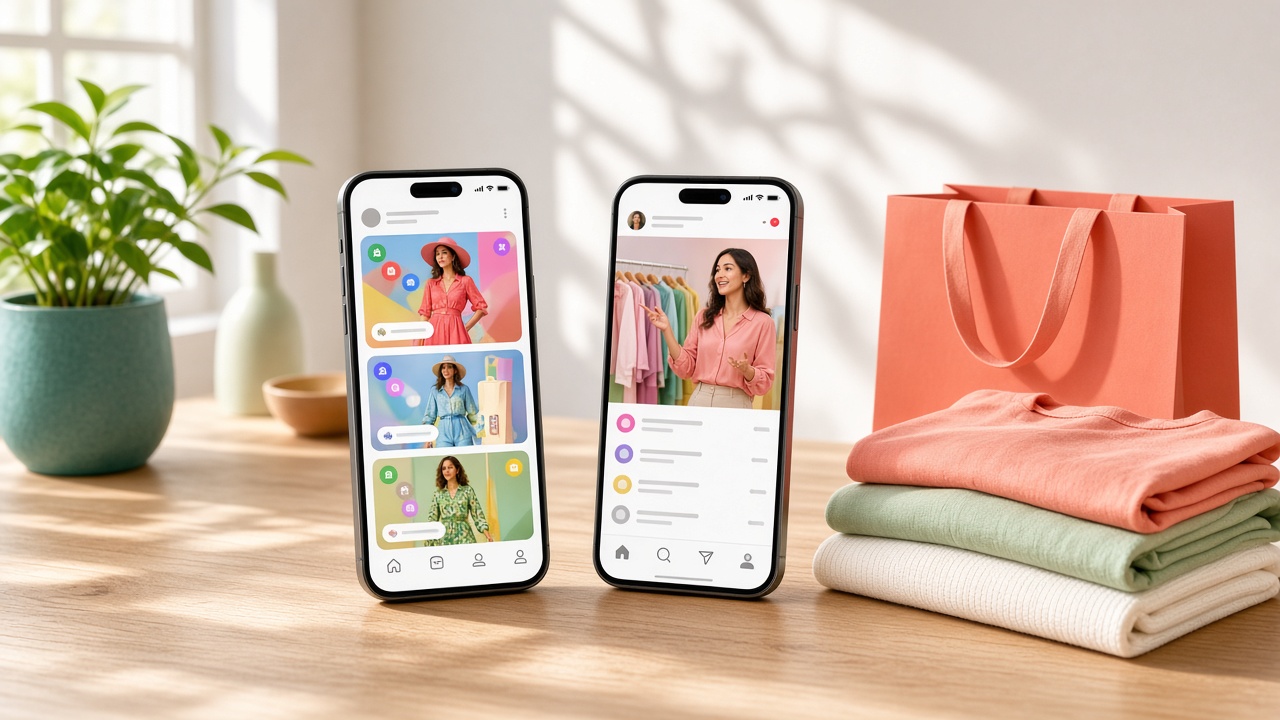
Key Takeaways
- Social commerce apps merge content discovery and checkout into one seamless flow, removing the friction of switching between a social feed and a separate store.
- The global social commerce market hit $2.11 trillion in 2026 and is growing at nearly 30 percent annually, making this a genuinely high opportunity category.
- Core features that actually drive conversion include shoppable posts, live streaming, personalized recommendations, and frictionless in-app checkout.
- Development costs typically range from $5,000 for a basic MVP to $20,000 or more for a full enterprise platform with live shopping capabilities.
- Essential integrations with inventory systems, payment gateways, and social platform APIs should be planned from day one, not added as an afterthought post-launch.
Social media used to be where people discovered products, then they'd leave the app to actually buy them. That gap is closing fast.
Social commerce apps merge browsing, discovery, and checkout into one seamless experience, letting users shop directly from a feed, a live stream, or a friend's recommendation without ever switching apps.
Platforms like Instagram Shopping and TikTok Shop have proven the model works, and now brands across every category want their own version of it.
But building one isn't just slapping a checkout button onto a social feed. It requires the right mix of content discovery, real-time engagement, and payment infrastructure working together smoothly.
This guide breaks down the must-have features, technology choices, and key integrations needed to build a social commerce app that actually converts browsers into buyers.
What Is a Social Commerce App and How Does It Work?
A social commerce app merges content and checkout into one experience, so users can shop directly from a feed, livestream, or creator post without leaving the app. That seamless path from discovery to purchase is the entire point.
1. Shopping Lives Inside the Content, Not a Separate Tab
Instead of browsing a traditional catalog, users discover products while scrolling posts, reels, or livestreams. Product tags appear directly on content, letting someone go from seeing an item to buying it in just a couple of taps.
2. The Market Has Grown Into a Multi-Trillion Dollar Category
The global social commerce market is valued at $2.11 trillion in 2026, growing at a 29.12 percent CAGR, and it's projected to reach $7.55 trillion by 2031.
3. Creators and Live Video Drive the Actual Purchase Decision
A creator demonstrating a product in real time builds more trust than a static product photo ever could. Livestream shopping specifically is becoming one of the fastest-growing formats inside the broader social commerce category.
4. US Shoppers Are Already Spending Real Money This Way
US social commerce sales are projected to surpass $100 billion in 2026, up 18 percent from $87.02 billion in 2025, confirming this isn't a niche behavior anymore.
Key Features to Include in a Social Commerce App
A social commerce app needs more than a nice feed and a buy button to actually convert. These are the features that genuinely move users from scrolling to purchasing, the ones that separate a working platform from one people just browse and leave.
1. Shoppable Posts and Product Tagging
Users should be able to tap directly on a product shown in a photo or video and get pricing, sizing, and a buy option instantly. Making people search separately for what they just saw kills momentum fast.
2. Live Shopping and Video Commerce
Live streams where hosts demo products in real time, answer questions, and let viewers buy without leaving the stream drive some of the highest conversion rates in social commerce right now. This feature alone is worth prioritizing early.
3. User-Generated Content and Reviews
Real customers showing how they actually use a product builds more trust than polished brand photography ever will. Letting users upload their own content and tag it to products creates a constantly growing trust layer.
4. Social Sharing and Group Buying
Features that let users share a product with friends, or unlock a discount once enough people buy together, tap directly into the social part of social commerce. People trust recommendations from friends over ads.
5. Personalized Product Recommendations
Showing users products based on what they've liked, saved, or purchased before keeps the feed relevant instead of generic. A recommendation engine that actually learns behavior significantly increases repeat purchase rates over time.
6. Seamless In-App Checkout
Every extra tap or redirect to a separate site loses buyers. A fast, native checkout that remembers payment details and shipping addresses from previous purchases removes the friction that kills impulse buying decisions.
What Technology Stack Is Best for Social Commerce Apps?
A social commerce app needs to handle real-time video, instant checkout, and personalized feeds all at once, which puts real pressure on your technology choices. Here's a stack that's proven to handle that load without falling apart.
1. Backend Framework: Node.js
Node.js handles the constant flow of likes, comments, live chat messages, and checkout requests efficiently through its asynchronous architecture. It's become the standard choice for platforms needing real-time interaction at scale without noticeable lag.
2. Frontend Framework: React Native or Flutter
Building separately for iOS and Android slows down launch and doubles maintenance work. React Native and Flutter let teams ship one codebase across both platforms, which matters a lot when speed to market is the priority.
3. UI Layer: Custom Design Through Ecommerce UI/UX Design Services
A feed-heavy interface with embedded product cards needs careful, deliberate design, not a generic template. Working with experienced ecommerce UI/UX design services ensures shoppable content feels natural inside the scroll instead of interruptive.
4. Database: PostgreSQL With Redis Caching
PostgreSQL handles structured data like orders, user profiles, and product catalogs reliably. Redis caches frequently accessed data, trending products, and active live streams, keeping load times fast even as the user base and content volume grow.
5. Live Streaming: Agora or Amazon IVS
Live shopping needs low-latency video that doesn't lag or buffer mid-demo. Dedicated streaming SDKs like Agora or Amazon Interactive Video Service handle the heavy lifting of real-time video delivery at scale reliably.
6. Recommendation Engine: Machine Learning Models
Personalized product suggestions depend on models trained on user behavior, likes, saves, purchase history. Custom-built or pre-trained recommendation engines keep the feed relevant instead of showing the same generic products to everyone.
7. Payment Gateway: Stripe or Regional Processors
Checkout needs to work instantly and support whatever payment method a user prefers, card, wallet, or local options. A reliable gateway with strong fraud protection prevents failed transactions from killing impulse purchase momentum.
8. Cloud Hosting: AWS or Google Cloud Platform
Traffic spikes hard during live streams or viral content moments, then drops just as fast. Auto-scaling cloud infrastructure handles that unpredictability without forcing you to overpay for server capacity sitting idle most of the time.
Essential Integrations for a Social Commerce App
A standalone app rarely works in isolation; it needs to connect with the tools your business already relies on. Any D2C ecommerce development company worth hiring will push for these integrations from day one, not as an afterthought post-launch.
1. Social Media Platform APIs
Connecting to Instagram, TikTok, or Facebook's commerce APIs lets content and products sync automatically between platforms, so a brand doesn't have to manually upload the same product listing in five different places every time something changes.
2. Inventory Management Systems
Real-time inventory sync prevents the embarrassing scenario of selling an out-of-stock item during a live stream. Connecting directly to existing inventory software keeps product availability accurate across every channel simultaneously, not just on the website.
3. Payment Gateways and Digital Wallets
Beyond basic card processing, integrating with Apple Pay, Google Pay, and regional wallets removes friction at checkout. The fewer steps between seeing a product and completing payment, the higher your actual conversion rate ends up being.
4. Shipping and Logistics Providers
Automatic rate calculation and tracking number generation through carriers like FedEx or regional logistics partners saves manual work and gives customers real-time delivery updates without your team manually updating order statuses one by one.
5. Customer Relationship Management Tools
Syncing purchase history and customer data with a CRM lets marketing teams build targeted campaigns based on actual buying behavior, rather than guessing who might be interested in a new product drop or restock.
6. Email and SMS Marketing Platforms
Automated abandoned cart reminders, order confirmations, and personalized promotions depend on reliable integration with tools like Klaviyo or Twilio, turning one-time buyers into repeat customers through timely, relevant follow-up messaging.
7. Analytics and Attribution Tools
Understanding which posts, creators, or live streams actually drive purchases requires integrating analytics platforms that track the full path from content view to completed checkout, not just surface-level engagement metrics like likes.
8. Content Moderation and Fraud Detection APIs
User-generated content and live chat need automated moderation to catch inappropriate content before it goes live. Fraud detection integrations also flag suspicious transactions in real time, protecting both the platform and legitimate buyers.
How to Build a Social Commerce App Step by Step
Most ecommerce app development projects fail not because of bad code, but because teams skip the planning work that prevents expensive rework later. Here's the sequence that actually gets a social commerce app from idea to a working, scalable product.
1. Define Your Core Social Commerce Model
Decide upfront whether you're building around live shopping, shoppable posts, group buying, or a mix of all three. This decision shapes every feature priority that follows, so don't skip straight to design before locking this down.
2. Research Your Target Audience's Shopping Habits
Understand where your specific audience already shops socially — TikTok, Instagram, or somewhere else entirely — and what format they respond to best. Building for the wrong platform behavior wastes months of development effort on features nobody uses.
3. Map Out the Core User Journey
Sketch exactly how a user moves from discovering a product in content to completing checkout. Every unnecessary step in this path is a potential drop-off point, so simplicity here matters more than feature richness.
4. Choose Your Technology Stack
Settle on backend, frontend, and database choices based on your expected scale and feature complexity, particularly around live video and real-time interactions, rather than defaulting to whatever framework is trending.
5. Design the UI Around Content First
Build wireframes that prioritize the scrolling, content-consuming experience, with shopping features integrated naturally rather than bolted on. A feed that feels like an ad catalog loses the social part of social commerce fast.
6. Build Core Shopping Features
Start with product tagging, in-app checkout, and basic personalization before adding more complex features like live streaming. Getting the fundamentals working reliably matters more than launching with every feature simultaneously.
7. Integrate Essential Third-Party Services
Connect payment gateways, inventory systems, and social platform APIs during this phase, not as an afterthought. These integrations often take longer than anticipated, so build realistic time into your development timeline.
8. Implement Live Streaming and Video Features
Add live shopping capabilities once core commerce functionality is stable. Test streaming quality under real network conditions extensively, since laggy or buffering video kills the trust needed for someone to make a purchase decision live.
9. Test Thoroughly Across Real Scenarios
Test checkout flows, payment processing, and live stream stability under actual usage conditions, not just clean demo scenarios. Edge cases like failed payments mid-livestream reveal problems a simple test environment never would.
10. Launch, Monitor, and Iterate Based on Data
Release to a smaller audience first, watch conversion data closely, then expand. Real user behavior will reveal friction points no amount of planning could predict, so treat launch as the start, not the finish line.
How Much Does It Cost to Build a Social Commerce App?
Understanding ecommerce app development cost upfront saves you from sticker shock halfway through a project.
Pricing for ecommerce software development generally falls into three tiers, depending on how much live streaming, personalization, and custom integration your social commerce app actually needs.
| Package | Starting Price | Best Suited For |
|---|---|---|
| Starter Ecommerce Development | Starting From $5,000 | Basic shoppable posts, simple checkout, MVP validation |
| Business Ecommerce Development (Most Popular) | Starting From $10,000 | Live shopping, personalization, multi-platform integration |
| Enterprise Ecommerce Development | Starting From $20,000 | Full-scale platform, advanced analytics, custom architecture |
Final Thoughts
Building a social commerce app isn't about bolting a checkout button onto a social feed; it's about rethinking the entire path from discovery to purchase so it feels like one continuous experience instead of two separate apps stitched together.
The brands getting this right are the ones treating content and commerce as the same thing, not sequential steps.
With the market already sitting at $2.11 trillion globally and still growing nearly 30 percent year over year, the opportunity is real, but so is the competition.
Getting the technology stack right matters, but what actually determines whether users buy comes down to how naturally shopping fits into the scroll. Nail that, and the rest of the features fall into place around it.
Frequently Asked Questions
1. How much does it cost to build a social commerce app?
Pricing typically starts around $5,000 for a basic MVP and scales up to $20,000 or more for a full enterprise platform with live streaming and advanced personalization features.
2. How long does it take to build a social commerce app?
Most projects take anywhere from three to eight months, depending on how complex your feature set is, particularly around live streaming and real-time personalization.
3. What's the difference between social commerce and regular ecommerce?
Social commerce lets users discover and buy products directly within a social feed or livestream, while regular ecommerce requires users to visit a separate store or website to shop.
4. Do I need live streaming to launch a social commerce app?
Not necessarily for launch. Many successful platforms start with shoppable posts and basic checkout, then add live shopping once the core experience is proven and stable.
5. Which platforms work best for social commerce integration?
Instagram, TikTok, and Facebook currently offer the strongest commerce APIs, though the right choice depends entirely on where your specific target audience already spends their time.
6. How do I keep users from dropping off during checkout?
Minimize steps, support multiple payment methods, and let the app remember shipping and payment details from previous purchases. Every extra tap increases the chance someone abandons the purchase.
7. Is personalization necessary for a successful social commerce app?
It's not required to launch, but it significantly improves repeat purchase rates over time by keeping the feed relevant instead of showing the same generic products to every user.
8. What's the biggest technical challenge in building these apps?
Handling live video at scale without lag or buffering, especially during traffic spikes when a stream suddenly goes viral or gets significant engagement unexpectedly.
9. Can I integrate my existing inventory system with a new social commerce app?
Yes, most inventory management platforms offer APIs that sync in real time, preventing the app from selling items that are actually out of stock.
10. Should I build native apps or a mobile responsive web experience first?
It depends on your audience and budget. Many brands validate demand with a responsive web experience first, then invest in native apps once product-market fit is confirmed.